I'm here when you need something.
Whether it's a quest, your account, connecting your bank or a reward, I'll walk you through it step by step. No stress, no paperwork.
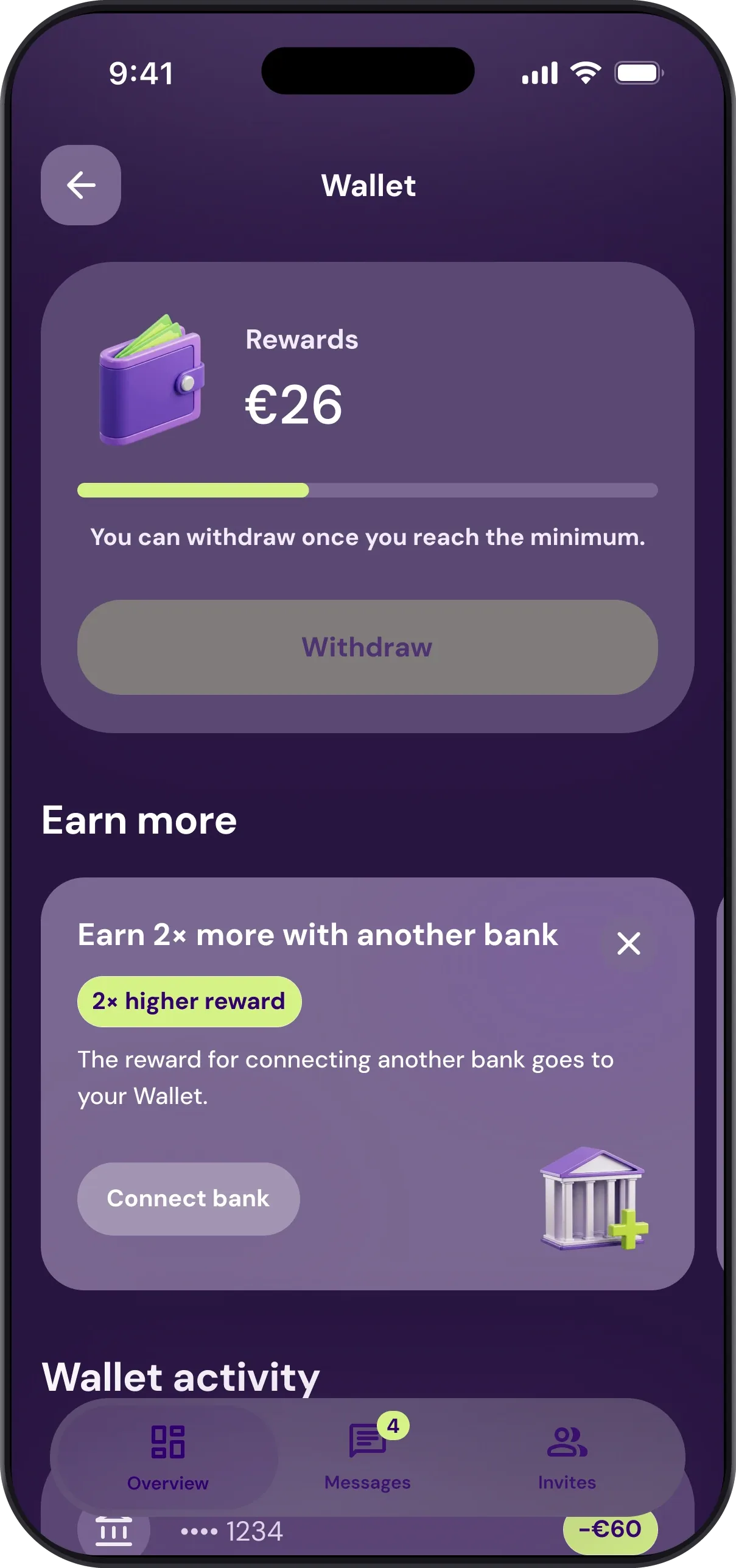
Four steps to get started. It takes a few minutes.
1. Get the app
You'll find it on Google Play and the App Store. It's free.
2. Connect your bank
You log in directly with your bank, over a secure PSD2 connection. I never see your login details.
3. Pick a quest
Open a quest, check the details and confirm it with one tap.
4. Get your reward
As soon as you complete the quest, the reward lands straight in your Wallet.
The things you ask about most.
App and account
Why download Patron GO?
You connect me to your account, and I keep an eye on your spending in the background, look for where you overpay and send rewards to your Wallet for every quest you complete. No spreadsheets, no forms.
Over 600,000 people trust me. I am and will stay free.
My bank won't connect, what should I do?
If you have trouble connecting your bank account, try this:
- Make sure your phone's operating system is updated to the latest version.
- Make sure you have the latest version of the app.
- Log out and back in, or restart your phone.
- Use the bank connection guide right in the app.
- If you need help, write to support@patrongo.com, ideally with an exact description of the problem.
I forgot my password, what now?
Open the app, enter your email and choose Forgot password. Depending on your email, I'll offer to reset your password or to sign in with Google, Apple or Facebook, if that's how you registered. No email yet? Check your spam folder too.
Why won't the app take my phone number?
Each phone number can only be registered with me once. If another registration already uses it, you can't continue with that number.
The app says it already knows this bank account.
You probably already have another registration where you used this account. Each bank account can only be with me once, so you can't continue with it in a new registration.
How much can I get from the vault?
The vault pays between CZK 0.50 and CZK 100. The exact amount depends on the level you reach.
How often do I get new quests?
Your quests are tailored to when you signed up, the banks you've connected and a few other things, so it differs for everyone. I add new ones several times a week, so check the app now and then.
How does connecting my bank work?
You connect your account via PSD2, the secure standard banks use across Europe. Then I just watch your spending and look for savings in the background.
Can I switch you off anytime?
Sure, anytime. A few taps in the app is all it takes.
What happens to my data?
It's protected under GDPR, and I only see what you let me see through PSD2. I have no access to your money, I only see your balance and payment history.
I can't log in and password recovery isn't working.
Try this:
- Check that you're entering the same email you signed up with.
- Look in your spam folder in case the password recovery email landed there.
- If you signed up with Google, Facebook or Apple, log in the same way. In that case I don't send a password.
How do I revoke access to my bank account?
In your online banking, find the Third-party applications or Third-party access section and remove the permission for the Finbricks service. From then on, I can't see your account. The only thing is, I won't be able to send you new money-saving quests after that.
What is a quest and where do I find it?
A quest is a concrete suggestion for saving money or improving your finances, tailored to your real transactions. You'll find it right in the app, and I'll send you a notification too.
How do I know a quest is active?
I'll let you know right in the app and the reward shows up in your Wallet. You don't have to keep track of anything yourself.
What if a quest doesn't make sense to me?
Feel free to turn it down, that's totally fine. Over time it helps me learn what's actually useful for you.
Why won't my account connect?
Usually it helps to check your internet connection and try again. If it still doesn't work the second time, write to me using the contact below.
What if my bank isn't supported?
I keep adding more banks. Tell me which one you use, so I know what to work on next.
How often is the data updated?
All the time, in the background. You don't even have to open the app, I'm still on it for you.
Why won't the app update?
Try updating it manually in the App Store or Google Play. If it still won't work, write to me and I'll take a look.
The app crashed, what now?
No big deal. Try closing it and opening it again, that fixes the vast majority of crashes. If not, I'm here.
I didn't get a notification, why?
Check your notification settings in the app and on your phone. Sometimes it's just a switch that's off.
How do I delete my account?
Open profile editing in the app, tap “Cancel account” and confirm. I deactivate your account straight away and delete it within three working days. Before you cancel, send the money from your Wallet to your bank and wait until it arrives. It's lost once the account is deleted.
Don't have the app any more? Write to support@patrongo.com.
How long does it take to delete my account?
I deactivate your account as soon as you confirm and delete it within three working days. You don't need to do anything else.
Wallet and rewards
When do I get my reward?
Right after you complete a quest, it lands in your Wallet. When you then withdraw the money to your account, I send it within 4 working days.
How do I get the reward for downloading from the website?
Download me through a button or QR code on this website. I'll send the reward to your Wallet once you're 18 or over, verify your phone, finish the scan and connect an account with at least 100 transactions in the last 6 months. You get it only once, and only once per bank account too. If you come through a friend's invite, you get the invite reward instead.
How do I withdraw my money?
In the app, in the Patron Wallet section. You just need Patron EXTRA activated (the Wallet is part of it) and at least the minimum amount shown there. I then send the money to the account you activated the Wallet with.
Why did a reward disappear?
I keep an eye on rewards so they stay fair for everyone. I remove them when the payout conditions aren't met, for example after an account is deleted or if you don't reply within 30 days to an email asking for missing details. The same goes for suspected misuse of rewards, duplicate registrations and email addresses created just for this. Rewards are valid for 12 months from when they're credited, then they expire.
I can't activate the Patron Wallet.
Usually there's no current account connected at the partner bank I show you next to the Wallet, or the initial activation in the app isn't finished. If both are fine, update the app and your phone's system and try again.
Can I send the money to a different account?
I always send the money to the account you activated the Patron Wallet with. That's the case even if you have several accounts connected.
Which account do I get the money on if I have several connected?
Always the one you used to activate the Patron Wallet.
How do I activate the Patron Wallet?
Connect a current account at the partner bank I show you in the app next to the Patron Wallet, and go through the initial activation. Don't have an account there? The app can offer to help you open one. If the activation doesn't go through, update the app and your phone's operating system.
Invites
Who can take part in invitations?
Anyone aged 18 or over with an actively used account at a Czech bank, meaning at least 100 transactions in the last 6 months.
How do I invite friends?
Open the Invite a friend section in the app. You'll find your own link there, which you can share anywhere, for example on social media. You can also invite friends from your phone contacts by SMS.
Why can't I see the reward for my friend yet?
I credit the reward once your friend has completed every step: verifying their phone, finishing the scan and connecting their bank. In the Invite a friend section, open their details to see which registration step they're on. You both get the reward once your friend meets the conditions, mainly being 18 or over and having an actively used account with at least 100 transactions in the last 6 months.
Where can I see how far my friend has got with signing up?
In the Invite a friend section you'll find a list of everyone you've sent an invitation to. Open anyone's details to see which stage they're at. From there you can also send them a reminder to finish signing up.
I invited a friend, but I can't see them in the app.
They most likely didn't register through your link. That happens when they don't use the code or close the app while signing up, so the code isn't applied automatically. That's why the reward hasn't been credited to either of you yet.
Where do I see my Wallet balance?
Right on the app's main screen, at the top. You always know exactly how much has piled up in the meantime.
Didn't find your answer? Let me know.
I'm here every working day from 9 am to 4 pm. If you're stuck, write to me, tell me what you need, and I'll point you the right way.
Website and app operator
Antivirus s.r.o., Inovační 122, 252 41 Zlatníky-Hodkovice, Czechia · Company ID 08872848 · VAT ID CZ08872848 · Municipal Court in Prague, file C 325903